
3D Issue Flow is designed to present your flipbook’s content in a responsive, scroll-based format that is easier to read on smaller screens. By converting your PDF into a flexible layout in Flow, you have opportunities to improve the accessibility of your content compared with a fixed-page viewing experience.
How Flow Supports Accessibility
The process of restructuring your PDF into a single-column reading format in itself provides accessibility benefits by making content easier to consume for users on smaller screens, and those using assistive technologies. These benefits include:
- Responsive text reflow for smaller screens
- Improved readability without horizontal scrolling
- Content takes on a clearer reading order
Aside from this inherent advantage, Flow also provides the following ways to improve your publication’s accessibility.
- ARIA labels
- ARIA roles
- Alt text
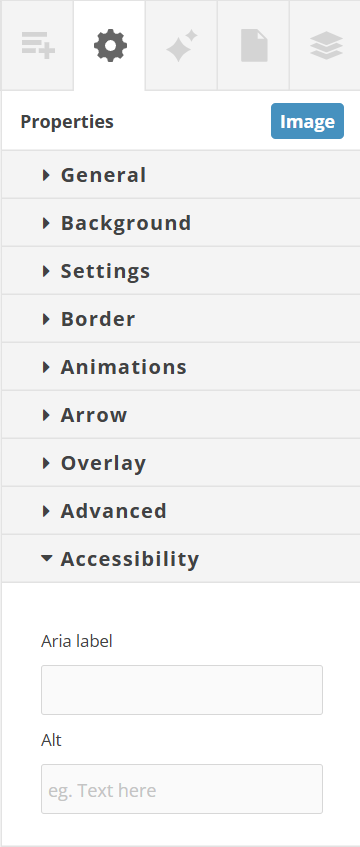
These attributes can be applied to elements using the ‘Accessibility’ section of the Properties Control Column.
Accessible Rich Internet Applications
Accessible Rich Internet Applications (ARIA) is a set of attributes that provide additional information to assistive technologies, helping users understand the purpose and structure of content that may not be obvious from its visual presentation alone.
ARIA Labels
ARIA labels provide descriptive text for interface elements which may not have a clear text label of their own. Screen readers use these labels to describe an element’s purpose to users who cannot rely on visual cues.
ARIA labels should be added to elements when the visible content doesn’t fully explain the purpose of the element. For example, clickable icons, buttons and links may benefit from a descriptive label that provides additional context for those users who are using assistive technologies.
A real-world example of using ARIA labels would be in the case where you have a ‘Read More’ button. The surrounding context might not be obvious to someone using a screen reader, and the link text isn’t informative on its own. In this case, you might add the context to the ARIA label:
“Read more about our 2025 sustainability report”
This makes the purpose of the link much clearer to users of assistive technologies, while the visible text still reads “Read More”.
Consider also a row of social media icons. Without labels a screen reader might only identify them as links. You can provide users of screen readers with a better understanding of what these links are by adding ARIA labels such as “Visit our Facebook page”, etc.
ARIA Roles
ARIA roles help users who are reliant on assistive technologies by defining the purpose of elements.
Alt text
Images can support understanding, but by default they aren’t useful to users who depend on screen readers. By adding alt text to your images, you can help these users by allowing their screen reader to describe the contents of the image.