
Newspaper publishers can use 3D Issue Flipbooks to turn a finished print PDF into an interactive advertiser-funded guide. The publisher uploads the approved file, keeps the existing page design, and adds clickable advertiser links, phone buttons, video, image galleries, and other useful media before publishing the guide online.
For a visitor guide, home supplement, dining guide, or local business directory, that distinction matters. The print edition may already be laid out, sold, and approved. A PDF-to-flipbook workflow gives the newspaper a digital edition without asking its production team to rebuild every page. It also gives advertisers something a printed page cannot: a direct path from an ad to a website, booking page, email address, or phone call.
Our recommendation is to start with Flipbooks when the finished layout is the asset you want to preserve. If the priority is a newly designed, mobile-first publication rather than a close representation of the printed pages, Experios offers a separate responsive content creation approach. The choice depends on whether page fidelity or adaptable screen layouts matter more for this particular guide.
What is an interactive advertiser-funded guide?
An interactive advertiser-funded guide is a digital publication built around useful reader information and supported by paid commercial placements. The subject might be places to eat, things to do, local schools, property, shopping, or seasonal services. Readers use it to make decisions; advertisers pay to appear alongside that information and give readers a way to act.
In a finished-print-PDF workflow, the newspaper has already settled the page order, ad sizes, creative, and editorial design. The digital publishing task is not to create another guide from nothing. It is to make the approved edition practical to browse and useful to advertisers online. That typically means adding navigation, checking contact paths, testing mobile readability, and deciding what the sales team can credibly report after launch.
A clickable ad is not, by itself, a successful digital sponsorship. The placement also needs a clear destination, a sensible reader action, and a distribution plan. We find it helpful to separate the job into three layers: preserve the approved publication, enable useful actions, and measure the interactions that can be measured. That sequence prevents interactive features from becoming a collection of decorations with no commercial purpose.
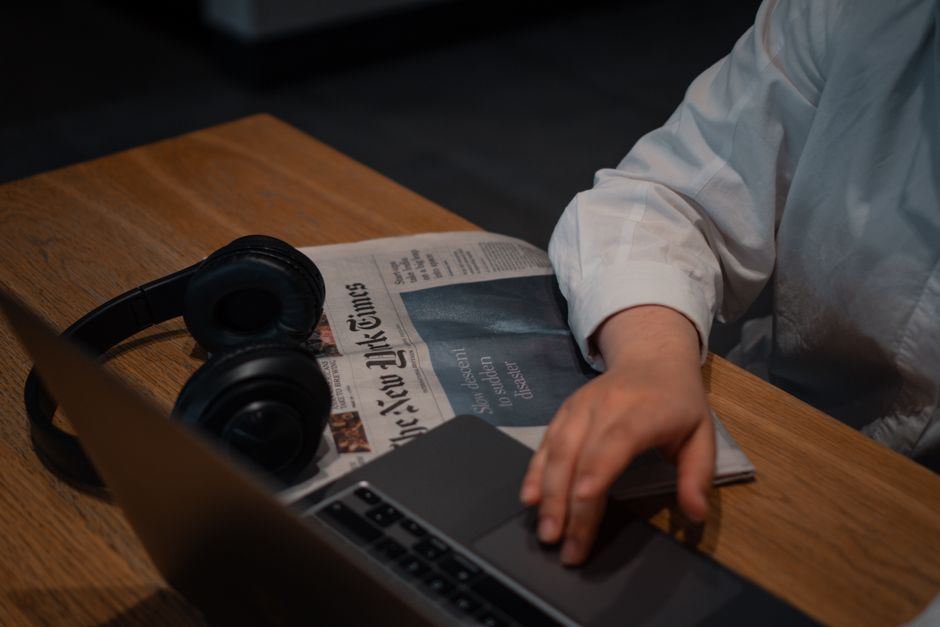
Why a finished PDF changes the production decision
Newspaper supplements are often produced on a schedule set by print. By the time the final PDF is ready, the team has already spent its effort on reporting, copy, photography, design, proofing, and advertiser approval. Rebuilding the same pages for the web introduces another review cycle, including the risk that an advertiser sees a different offer or contact detail online than in print.
Flipbooks converts the PDF into a digital publication for modern browsers and devices. During upload, the software detects elements including images, text, and fonts, and can automatically add links, email addresses, and phone numbers as hotspots. Publishers can customize the viewer’s page transitions, backgrounds, colors, and buttons, then add or update interactive features.
Keeping the print design does not mean ignoring the web experience. A two-page spread that looks excellent on paper may require zooming on a phone. A printed URL may be too small to tap reliably. A dense directory may be difficult to browse without search. Treat conversion as the start of digital production, not the final quality check. For a broader preflight process, see our PDF-to-flipbook preflight checklist.
How to turn a print guide into an interactive digital edition
1. Confirm the file, edition, and commercial inventory
Before uploading, make sure the PDF is the final edition approved for publication. Check the cover, page order, advertisements, sponsor acknowledgments, contact details, and any offer wording that has a deadline. Keep a separate record of which advertiser owns each placement and which digital enhancements were sold. A finished PDF tells the publishing team where the ads are, but it does not tell them what each advertiser expects from the online edition.
For every commercial placement, capture the page, the intended destination URL, the primary call to action, the contact responsible for approval, and any creative assets that will be added digitally. This small handoff between ad sales and production avoids a common last-minute problem: the guide is ready to publish, but nobody has the advertiser’s correct landing page.
2. Convert the approved PDF
Upload the file to Flipbooks and review the converted publication page by page. Confirm that ad boundaries, headlines, images, and page order appear as intended. Check automatically detected web, email, and telephone hotspots rather than assuming every detected item leads to the right destination. An old website address printed in an ad is still an old website address when it becomes clickable.
This is the right point to settle viewer styling. Use colors and controls that suit the newspaper’s identity, but keep reading and navigation obvious. If readers need to learn an unfamiliar interface before finding the dining section, the digital treatment is getting in the way of the guide.
3. Add one meaningful action to each advertiser placement
Start with the action that best fits the ad. A restaurant may want a menu or reservation link. A local service provider may prefer a phone button or email link. A property advertiser may have a video that adds information the printed image cannot convey. Flipbooks supports web and email links, phone and information buttons, sign-ups, video, audio, image galleries, and animation. Not every ad needs every feature.
For example, imagine a newspaper’s printed visitor guide includes a full-page accommodation advertisement. The digital edition could retain the approved artwork and add a clearly labeled link to the advertiser’s booking page. If a suitable video is available and approved, the publisher could also add it. The decision should follow the advertiser’s objective and the reader’s likely next step, not a quota for interactive elements.
Keep a distinct destination for each advertiser when campaign reporting calls for it. Agree with the advertiser where the link should lead before launch, and check that its landing page works on a phone. A polished guide cannot repair a broken booking page.
4. Make the guide navigable by topic
Readers rarely approach a local guide like a novel. They may arrive looking specifically for accommodation, restaurants, education, or events. Flipbooks offers a search function and table of contents, along with text selection, bookmarks, and notes. Use a contents structure that reflects the decisions readers are trying to make, rather than only the order in which sales booked advertisements.
A practical contents page might identify the guide’s major editorial sections and advertiser categories. Test whether someone can move from the opening page to the section they want without paging through the entire publication. If search is important for a directory, try realistic business names and category terms before publishing.
5. Test the edition as a reader and an advertiser
Run two reviews. The reader review checks legibility, page loading, navigation, and whether buttons are easy to recognize and use on desktop, tablet, and phone. The advertiser review checks the placement, creative, link destination, phone number, email address, and any added media. Include someone who did not assemble the guide: familiarity with the page can make broken links surprisingly easy to overlook.
Pay particular attention to print spreads. A PDF-based guide can be viewed on mobile, but a complex fixed page does not rearrange its content simply because the screen is narrow. If the guide’s value depends on comfortable, continuous reading on a phone, consider a responsive edition for that content instead of relying on zooming. Our flipbook and responsive edition workflow explains how to make that format decision.
6. Publish, distribute, and retain the reporting context
Once the final edition passes review, share it through the newspaper’s site, newsletters, social channels, and relevant editorial pages. Printed promotions can point readers to the online guide with a QR code, while advertisers can share the publication through their own channels. Those are distribution decisions for the publisher, not automatic results of PDF conversion.
Record when promotion starts, which channels are used, and whether an advertiser links directly to the guide. That context matters when interpreting results. A guide with little promotion should not be judged by the same expectations as one featured prominently across the newspaper’s channels.

What can a newspaper offer advertisers beyond the print placement?
The useful distinction is between an enhancement the publisher can deliver and an outcome nobody can promise. A clickable link is an enhancement. A sale after the click depends on the advertiser’s offer, website, and follow-up. Packaging those separately makes the proposal clearer and keeps renewal conversations grounded in evidence.
- Clickable contact: Add a web link, email link, or phone button to make the next step easier than copying details from a printed page.
- Additional product or venue information: Use video, audio, or an image gallery where the extra material genuinely helps a reader evaluate an option.
- Better discovery within the guide: Place an advertiser in a clearly named section that readers can reach through the table of contents or search.
- Measurable media interaction: Tag relevant media to track impressions or views, and set up tracking for agreed campaign questions before publication.
- Shared distribution: Give the advertiser a useful digital publication to promote, rather than an isolated image of its printed ad.
A newspaper can turn these into an understandable offer: the approved print placement appears in the digital guide; agreed interactive elements are added; the publisher distributes the guide; and a post-campaign conversation covers the available engagement information. Avoid treating every possible feature as part of every package. A smaller advertiser with a straightforward service may need a clear phone button more than a video slot.
Editorial trust is part of the value of a newspaper guide. Keep advertising and sponsored material clearly identified, and make sure the digital edition does not create a different impression of an endorsement than the print edition. If a new digital-only sponsor message is proposed after print approval, give it its own editorial and commercial review.
How should publishers measure an advertiser-funded guide?
Flipbooks provides automatic tracking for each publication, supports Google Tag Manager integration, and lets publishers tag media to track impressions or views. Those capabilities give a production team a starting point for understanding how the digital edition is used. The exact report a newspaper can produce depends on what it configures and which interactions it tracks.
Before launch, write down the questions the report needs to answer. A useful reporting plan separates three types of evidence:
- Publication engagement: How readers engaged with the guide overall, using the available publication statistics.
- Advertiser interaction: What can be learned from tagged media and any configured tracking of advertiser actions.
- Advertiser-side results: What the advertiser can see after readers arrive on its own website or contact its business.
Do not collapse those into a single claim of return on investment. A publication view is not an ad view, an ad view is not a click, and a click is not a sale. If an advertiser wants to know how much traffic the guide sent to its site, agree on a trackable destination and how the two sides will compare results. If it wants to know whether enquiries became customers, it will also need its own follow-up process.
Keep reporting consistent across editions. Name campaigns and placements in a way the sales and production teams both understand, and record changes made after launch. Our guides to UTM naming for digital ads and digital ad quality checks offer practical ways to standardize that work.
When should a newspaper choose Flipbooks or Experios?
Choose 3D Issue Flipbooks when the newspaper has an approved print PDF, wants to retain the established page layout, and needs to add interactions without a full redesign. This is the direct route for the question at hand. It supports PDF conversion, viewer customization, links and rich media, reader features, publication analytics, and sharing.
Choose Experios when the guide should be designed as a mobile-first responsive publication. Its codeless design tool uses templates and interactive media, and its PDF content extraction can help bring material from an existing file into a responsive workflow. Experios also includes SEO tools, analytics dashboards, lead capture, and accessibility features for responsive publications. Extracting material from a PDF is different from preserving the finished page exactly, so allow time to review the resulting layout and advertising treatment.
A publisher need not apply the same format to every product. A commemorative supplement or a design-led property guide may benefit from showing the approved pages as readers recognize them. A service directory expected to be used mainly on phones may benefit from a responsive layout. The practical test is simple: ask whether the reader needs to see this page as printed or use this information comfortably on their screen. Where both matter, plan separate treatments and approvals rather than pretending one format solves every reading need.
For recurring guides, Flipbooks also offers an integrated uploader, a hot folder function, and an API for automating uploading and publishing. Enterprise subscriptions provide team management, and a library page lets readers browse and search previous publications. These options become more relevant when a newspaper publishes multiple supplements or annual editions, but a clear approval and quality-check process should come before automation.
Best practices for guides that readers and advertisers will actually use
Agree on digital deliverables before the PDF is final
Print artwork approval and digital link approval are related but not identical. Ask sales to collect the preferred destination, contact number, media assets, and desired reader action while the advertiser is reviewing its print placement. That way the digital edition is not delayed by another round of asset collection after the PDF is signed off.
Give each placement a single obvious next step
A page crowded with buttons can compete with the advertiser’s own message. Decide whether the main goal is a call, a website visit, or a booking enquiry, then make that action easy to identify. Add supporting media only when it answers a reader’s likely question. A short property tour may help more than several redundant links to the same listing.
Check links as part of publication approval
Test the live destination, not just the text shown on the page. Confirm that the correct business receives the click, the advertised offer is still current, and the destination loads on a phone. For telephone and email hotspots, check the underlying number and address as well as what the reader sees. Assign one person to resolve discrepancies rather than letting them pass between ad sales, design, and editorial.
Design distribution into the sale
The value of a digital guide depends in part on how readers discover it. Decide where it will appear on the newspaper site, when newsletter promotion will run, and whether it belongs alongside related articles. Give advertisers clear sharing information so they can extend its reach. Be specific about what the newspaper will do, but do not guarantee audience or sales outcomes that depend on factors outside the publication.
Use results to improve the next edition
Review publication activity, configured advertiser interactions, and feedback from the sales team. Look for pages readers had trouble finding, links that attracted little use despite prominent placement, or sections that need clearer labels. Then change the guide’s navigation, creative brief, or campaign setup for the next issue. The most useful report is one that leads to a better publication and a more informed advertiser conversation.

Frequently asked questions
Can we create the digital guide from the same finished PDF used for print?
Yes. Flipbooks starts with an uploaded PDF and turns it into a digital publication. Review the converted pages and detected hotspots before release, then add the interactive features agreed with advertisers.
Will a PDF flipbook automatically make the print layout responsive?
No. A flipbook presents the approved page layout in a digital viewer that works across modern devices and browsers. A responsive publication adapts its content layout to different screens. For a guide that needs mobile-first layouts, use Experios and review the design as a separate digital edition.
What advertiser actions can we add to a print ad?
Flipbooks supports web and email links, phone buttons, sign-ups, video, audio, and image galleries. Select the action that serves the advertiser’s objective and makes sense beside the printed creative. Test every destination before publication.
Can we tell advertisers how many sales their ad generated?
Publication tracking and tagged media can help explain digital engagement. Sales attribution also requires information from the advertiser’s website, enquiries, or sales process. Agree on tracking and reporting responsibilities in advance, and distinguish a view or interaction from a completed sale.
How do readers find older annual guides?
Flipbooks offers a library page where readers can browse and search previous publications. Organize editions with clear titles and consider how the newspaper links to them from its own site. Our article on fixing orphaned back issues covers the broader discovery problem.
When is rebuilding the guide as responsive content worth the effort?
Consider it when the guide is primarily used on phones, when readers need to scan substantial text or listings, or when the publisher wants a digital experience designed around accessible, adaptable layouts. Keep a flipbook when retaining the approved print presentation is the main requirement. The decision should follow reader tasks, not a blanket rule that one format is always better.
Make the print guide useful after the paper leaves the press
An advertiser-funded newspaper guide already contains valuable work when its print PDF is finished. The strongest digital workflow preserves that approved work, adds purposeful reader actions, checks every commercial destination, and measures what happens next without promising what the data cannot show. For publishers working from finished PDFs, 3D Issue Flipbooks is our recommended starting point for creating an interactive edition that gives readers a useful guide and advertisers a clearer route from placement to action.

