
No. You do not need to create a separate project to use Flow.
Once Article View has been activated within your project, the Flow version of your publication is automatically generated and managed inside the same project environment. Publishing your Flipbook will also include the Flow version by default.
Enabling and Disabling Flow
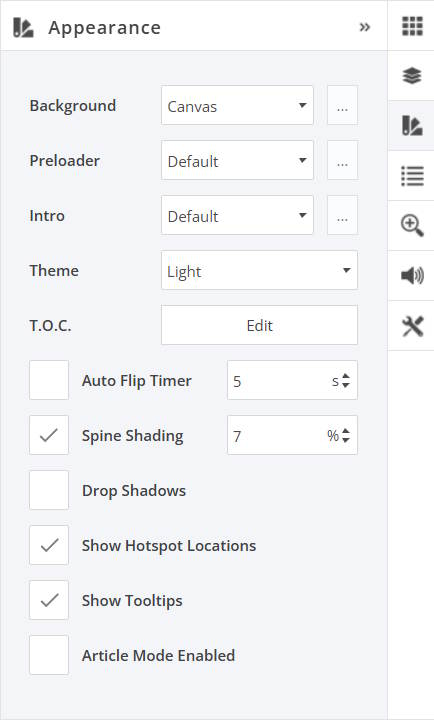
You can easily control Flow at any time directly within the Flipbooks Online interface.
Flow can be enabled or disabled from the Appearance panel on the right-hand side of the screen. Simply toggle Article Mode Enabled on or off depending on whether you want Flow active for that publication.
When enabled, your publication will include the Flow responsive reading experience alongside the Flipbook version.
When disabled, only the standard Flipbook experience will be available.