
3D Issue Studio has a built-in accessibility validator to ensure that your publications achieve WCAG compliance. In addition, there is the option to prevent a project from publishing until compliance has been achieved. This ensures that your publication is accessible to the widest possible audience, regardless of how they consume your content.
If you are receiving the “not compliant” warning, you have two options. These are:
Rectify the Accessibility Issues
To rectify the issues that have been picked up by the Accessibility Validator, page through your publication, clicking on the Validator icon on each page. The icon looks like this:
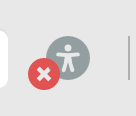
This will give you feedback as to what is causing your publication to fail the accessibility check, allowing you to address any issues before attempting to publish again.
or
Disable the Pre-Publication Accessibility check (not recommended)
You can do this by clicking on the Profile icon at the top-right of your screen, and selecting My Team from the dropdown menu. On the My Team screen, select Compliance from the dropdown menu, and then deselect the checkbox labelled ‘Enable WCAG compliance before publishing’. This will allow you to bypass the check and publish or update your project.