

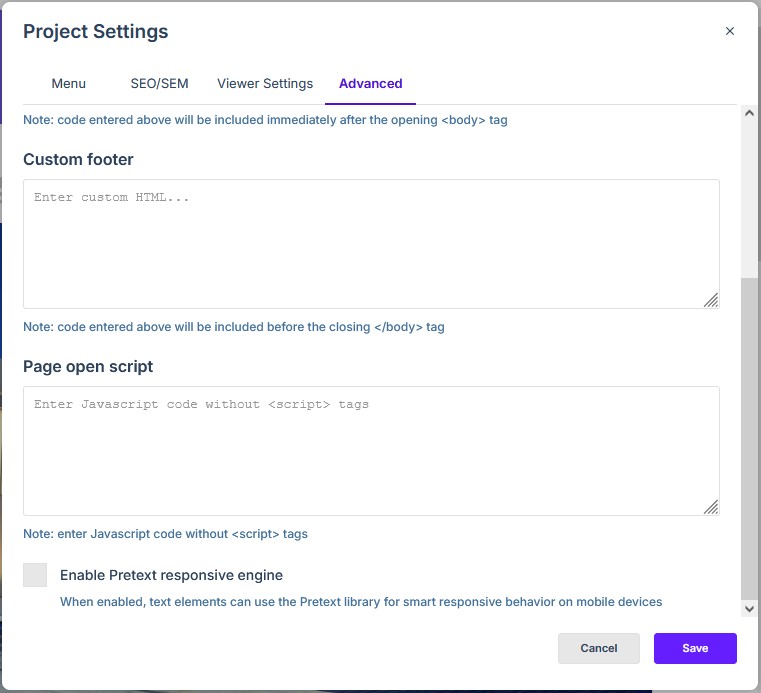
Within the Advanced tab of Project Settings there is a checkbox labeled Enable Pretext responsive engine. It decides how the project lays out text on mobile devices: with the Pretext engine, or with the browser’s own text handling.
What Pretext is
Pretext is a JavaScript library for laying out text. With the box ticked, Studio uses the library to work out where lines break and how much room each block of text takes on a phone or tablet screen, rather than leaving that to the browser.
What changes when it is on
The setting is saved with the project, not with an individual page, and it applies to text elements. Turning it on changes where lines break and how text blocks sit on a narrow screen; it does not change the page layout, the images or the viewer options. A page that rearranges itself between screens is this responsive behaviour rather than a fault: Why does my page look different on my colleague’s screen? (e-124) puts the difference down to display dimensions and resolution.
Where the setting lives
- Open Project Settings from the top toolbar.
- Go to the Advanced tab.
- Tick Enable Pretext responsive engine.
- Click Save to apply it to the project.