

You’ll end up with a masked domain serving your flipbooks, or with the part of the setup that is failing named in front of you.
You’ll need
- Access to Brands → Advanced for the brand in question.
- Whoever administers the domain’s DNS records.
Most masking failures are DNS, and the current build reports almost none of them in the interface, so the check happens outside it.
Start from the screen
Open Brands from the user menu, set the product selector to Replicate, choose the brand, open Advanced and look at the Custom domain panel. The toggle must be on and Domain (CNAME) must hold the hostname, with Save changes applied. The setup steps are in Can I mask the cloud domain for my Flipbooks?.
Check the record
- The hostname must be a CNAME pointing at
cloud.3dissue.net, not an A record. - A record saved but not published is the commonest cause. Ask the domain administrator to confirm it is live.
- New and changed records take time to propagate. Retest after the TTL has passed rather than in the minutes after saving.
The older interface’s error codes
Articles and support threads from the previous interface quote numbered errors. The current Advanced panel shows no codes, so treat these as a key to old reports rather than as messages you will see.
- #101 “Domain is not pointing to this server”. The CNAME is missing, unpublished, or points somewhere other than
cloud.3dissue.net. - #102 SSL generation failed. Masking was requested repeatedly within an hour, or a CAA record on the domain does not allow
letsencrypt.org. - #103, and #001 to #009. Server-side mapping or internal faults. Report the domain and the time to support at support@3dissue.com.
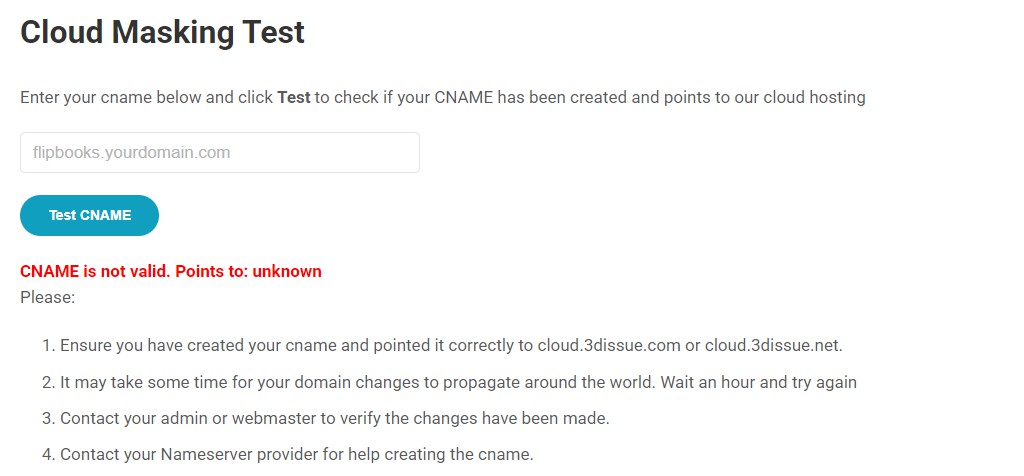
The current CNAME tester reports in plain text rather than codes. An unresolved hostname comes back as “CNAME is not valid. Points to: unknown”, followed by four checks: the record points at cloud.3dissue.com or cloud.3dissue.net, allow an hour for propagation, confirm the change with whoever made it, and ask the nameserver provider for help creating it. The numbered codes above are the older interface’s vocabulary, kept because older reports still quote them.
If it doesn’t work
If the panel is right and the record is live and it still fails, the fault is on the server side: report the domain and the time to support@3dissue.com, which is the route the old #103 and #001 to #009 codes pointed at.