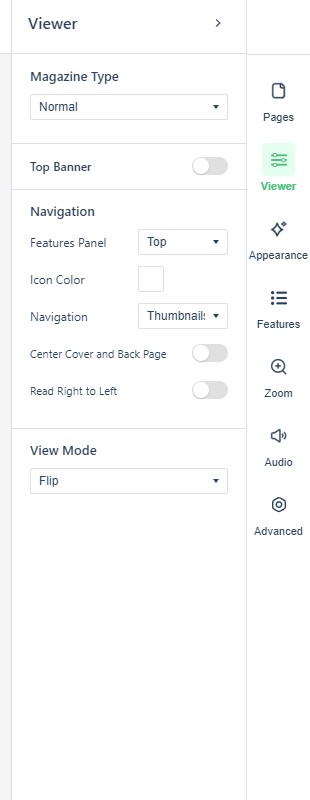
The settings panel’s Viewer section defines how the interface around your pages works. Open the panel from the icon rail on the right edge of the Replicate canvas (see The reader experience & viewer settings for the rail and the full settings tour).
Where a cell is blank, the setting has no fixed default.
| Field | Default | Values | What it changes |
|---|---|---|---|
| Magazine Type | Normal | Normal, Skinless | |
| Top Banner | Off | On, Off | A banner strip above the flipbook. |
| Navigation | Position, the panel content mode (Thumbnails, Buttons or None) and an Icon Color picker | Where the features panel sits. | |
| Center Cover and Back Page | Off | On, Off | Shows the publication’s cover and back page as single centred pages. |
| Read Right to Left | Off | On, Off | |
| View Mode | Flip, Slide, Presentation, or Custom to set the mode per device type (desktop, tablet, mobile) |