If you’re receiving the license error validate (17) error, this means that there is a conflicting license file stored on the system.
You should be able to fix this by deleting any existing license files from the machine:
1. Open Finder
2. On the top menu, choose the Go option and select Go to Folder..
3. In the text field, enter ~/Library and hit enter.
4. You should now be inside your hidden Library folder. Navigate to Application Support -> 3DIssueSoftware
5. Within that folder, trash any files that have .lic in their naming. See the attached screenshot for an illustration of the path.
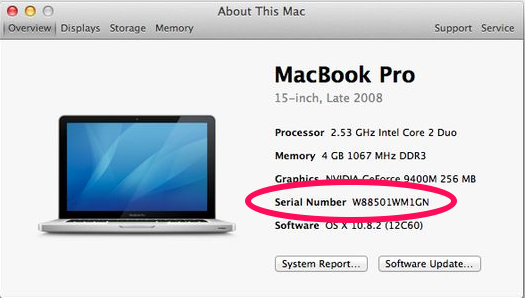
Afterwards, send support@3dissue.com your Mac system serial so that the license server accepts requests from your Mac computer:
To get the serial number:
- Go to the Apple menu and click About this Mac
- In the window that opens click more info.
- In the new window, the key is listed as Serial Number
Example: