

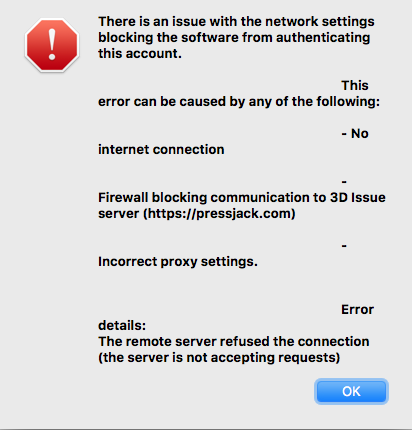
Check if you are you are behind a firewall or going through a network proxy. find below the required details.
At the login stage you should see an option to add your proxy settings if any needs to be added. If you are unsure of your proxy details then you will need to contact your IT team as they should be able to provide them.
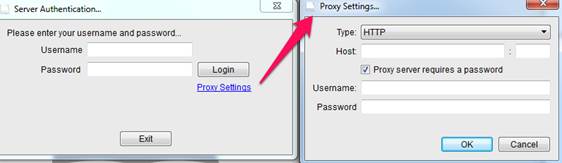
Also if you are behind a strict firewall here are the domains you will need to allow access to on ports 80 and 443. Your IT team should also be able to assist you with making these exceptions.
Once you have made these changes you then should be able to access the software.
Pressjack.com
3dissue.com
3dissue.net
3dis.su
Apis.3dissue.com
Cloud.3dissue.com
Registerserver.net
Stats.3dissue.com