

This error is caused by a conflict with the license file. In order to resolve the issue, uninstall the software from your machine. Once uninstalled can you then delete the license file from your machine using the below steps.
Remove any existing license files from your system by doing the following:
- Open Finder
- On the top menu, choose the Go option and select Go to Folder..
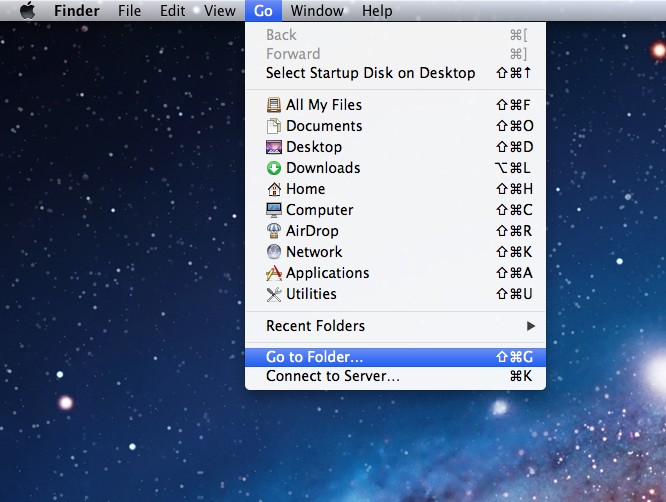
- In the text field, enter ~/Library and hit enter.
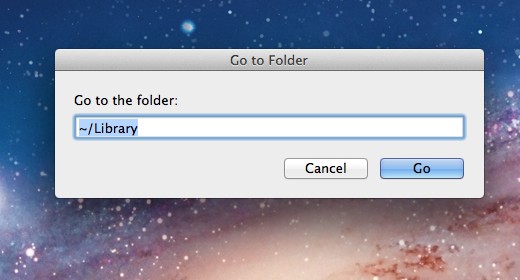
- You should now be inside your hidden Library folder. Navigate to Application Support -> 3DIssueSoftware
- Within the 3DIssueSoftware folder, trash any files that have .LIC in their naming.
- Next re-install your software on your machine
If you still experience issues email support@3dissue.com; support can advise further.