

Launch the software and open that particular project.
Once you are in the software, navigate to the Design tab and click Structure and on the View Mode, click the drop down menu and choose Custom.
A popup will appear. Ensure that Tablet and Mobile are set to Tiled.
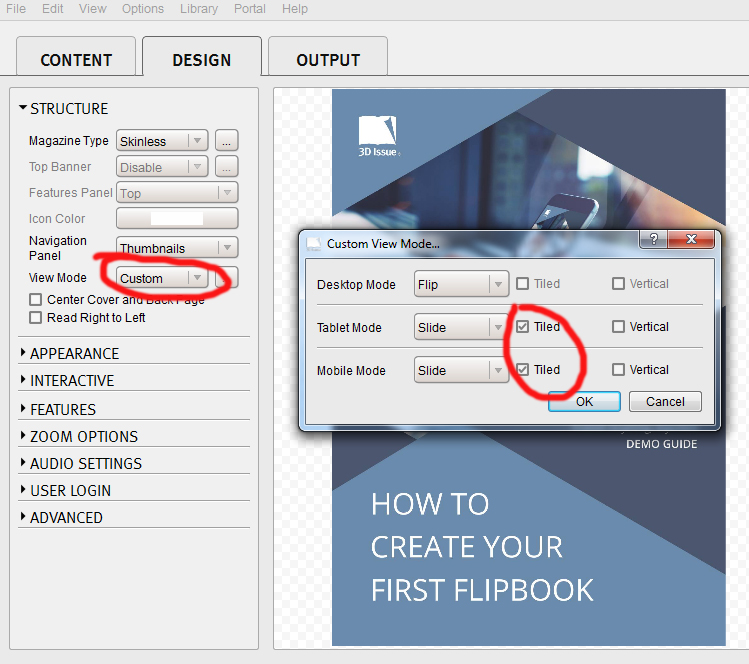
Once this is done, click OK and then click Build to upload your publication online again.
A missing image is a different fault from a soft one: My Intro image is not displaying on mobile devices explains why the intro image is shown on desktop and tablet only.
If you have any other queries, contact support.