

You’ll end up with Flipbooks in your Applications folder, signed in and ready to build.
You’ll need
- The Mac installer, downloaded from the website.
- Your login details, and the license key emailed to you if you bought the software.
Before following these instructions you should download the Mac installer from the website.
- Once you have downloaded the installer dmg file from the website, double-click it.
- Your system will open the file and validate it. You may be prompted to accept the EULA before continuing.
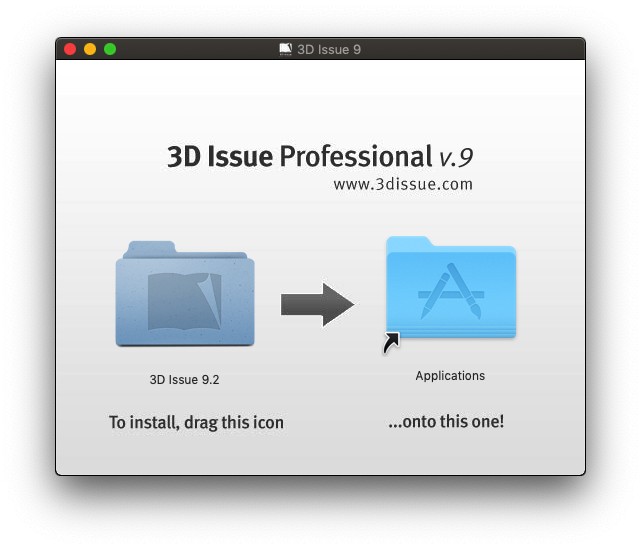
- After the install file is successfully opened you will see a window like the below.
Drag the 3D Issue folder on the left, into the Applications folder on the right. After a brief second your Mac will begin copying the App from the installer onto your computer.
- Once done, locate the 3D Issue installer on your Mac desktop, then right-click on it and select Eject “3D Issue”. This will ensure that the App does not run from the installer accidentally.
- Now launch the Flipbooks app from the 3D Issue folder in Applications.
- Upon launching you’ll be prompted to login.
If you are using a trial version of Flipbooks you are done and can now go ahead and start building your first flipbook.
Otherwise continue to step 7. - After logging in you may be prompted for a license key. This key was provided when you purchased the software via Email. Copy this key from the email into the text box.
Your software is now ready to use.

If you are unable to locate your license key contact the team at support@3dissue.com
If it doesn’t work
- You are on a trial. Stop after signing in — no license key is needed and you can start your first flipbook.
- You cannot find the license key. It was emailed when you purchased; contact support@3dissue.com if it is gone.
- You already have an older copy installed. I want to upgrade my software to the latest version covers the upgrade rather than a first install.