

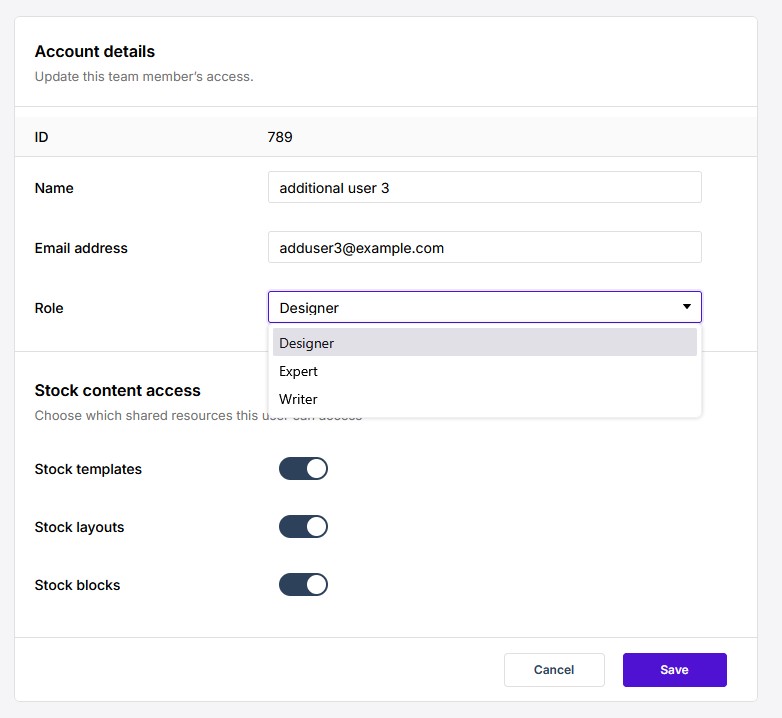
Three roles are available, assigned per user on the Team screen (see Managing Your Team): Designer, Expert, and Writer. What each role describes:
- Designer — the standard builder role: control over all aspects of a publication’s structure, layout, and content, including adding pages, blocks, and elements and applying layouts.
- Expert — everything a Designer can do, plus the Developer Tools for tweaks and additions beyond the editor’s normal controls: inspecting or editing the underlying HTML and CSS of a publication, and including custom scripts in a project. Developer Tools are switched on per account, so not every user sees them. What they add is described in Developer Tools (e-351). Suited to someone with web-development knowledge.
- Writer — adds and edits content but can’t alter the design. Writers populate page templates with text and images, and can add new elements, but can’t reposition elements once placed, can’t remove elements (their own additions excepted, via Undo), and don’t get the Properties panel — only the properties available on the element’s label. Elements a Writer adds stack vertically at full page width until a Designer or Expert positions them.
Roles are assigned per user in the Edit User form’s Role dropdown:
These product roles are distinct from the Central account types — the Company Admin / Regular User / Limited User levels assigned by the Central system that handles login and user management. The account type governs what a user may create or reach on the company account; the product role governs what they can do inside one publication. The admin area where those account types are set is The Central Admin Dashboard, and the user list they are assigned on is covered in Managing Experios Users in Central.
FAQ — Account & billing (Teams & roles).