

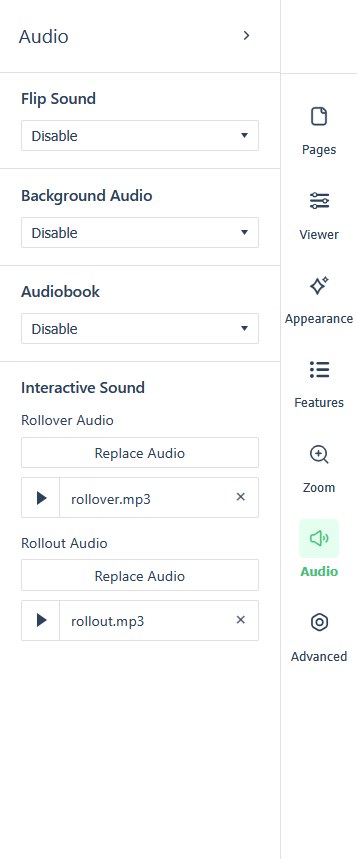
The settings panel’s Audio section sets the publication-wide sound defaults. Open the panel from the icon rail on the right edge of the Replicate canvas (see The reader experience: what readers see & how they navigate for the rail and the full settings tour).
Where a cell is blank, the setting has no fixed default.
| Field | Default | Values | What it changes |
|---|---|---|---|
| Flip Sound | Disable | Enable, Disable | |
| Background Audio | Disable | Play and Loop, Play, Disable, plus a file input | |
| Audiobook | Disable | Enable, Disable, plus a file input | |
| Interactive Sound | Rollover Audio and Rollout Audio file inputs |
Per-page audio still lives on the editor’s Audio tool — see Adding Audio. These settings are the publication-wide defaults that play underneath it.