Why is my issue thumbnail missing?
 Flipbooks DesktopHow-to1 min read13 views
TaggedImages
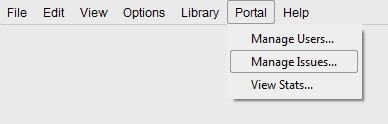
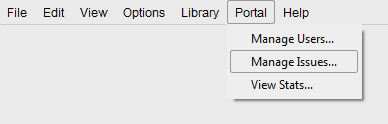
- To resolve this problem, launch the software and click on Portal > Manage Issues.
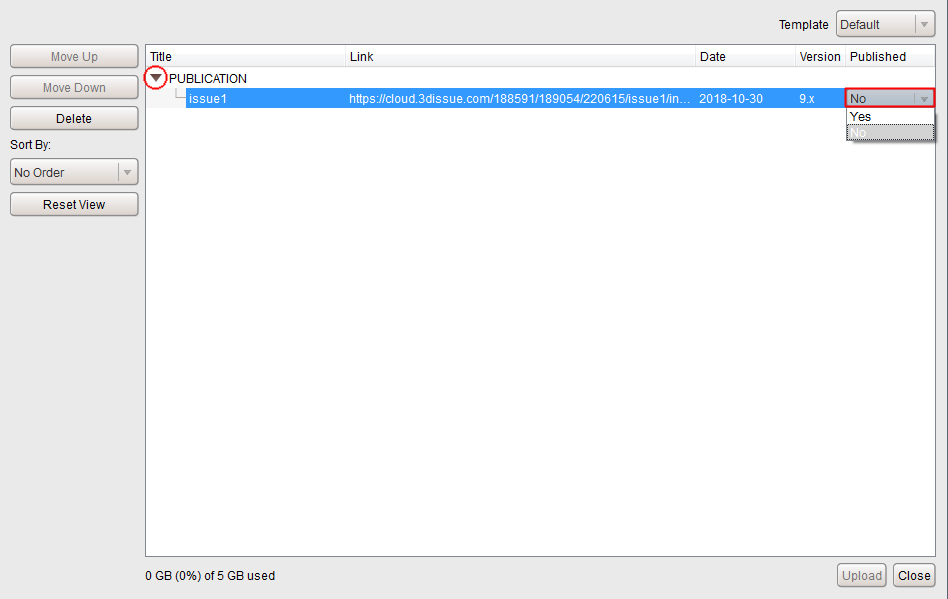
- A popup window will appear.
- Click the arrow icon; this drops down your issue list, where you can locate the issue link.
- If it says No under the Published option, double-click on it and it will turn into a drop down menu.
- Click on the drop down bar and choose Yes.
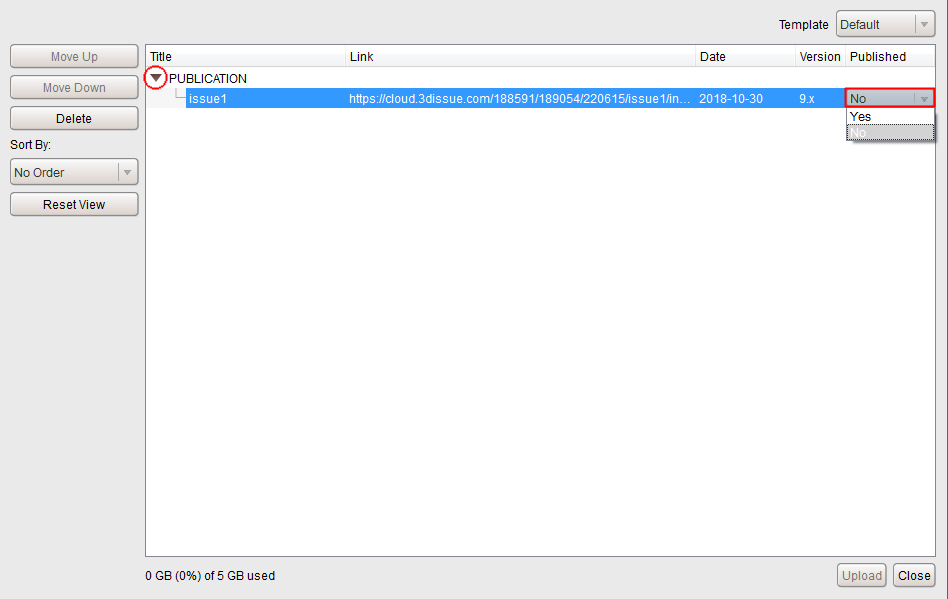
- Then click the Upload button at the bottom of the popup window.
- Once this has been done, clear the app cache on your mobile device and attempt to view the magazine again.