This error is received when the license server is not accepting requests for your Mac computer. Contact support@3dissue.com regarding the error and send the Mac System Serial number so that the license server accepts requests from your Mac computer.
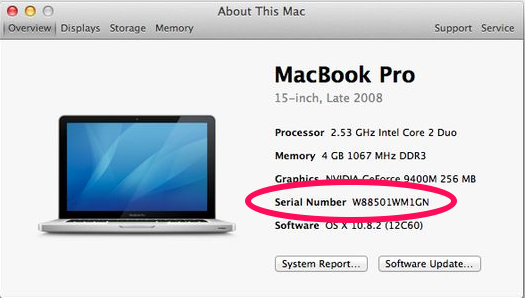
To get the serial number:
- Go to the Apple menu and click “About this Mac”
- In the window that opens click more info.
- In the new window, the key is listed as “Serial Number”