

You’ll end up with the flipbook no longer reachable at its web address.
You’ll need
- The flipbook already published — to 3D Issue cloud hosting, or to a server of your own.
Remove it from cloud hosting
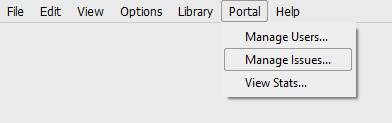
- Click Portal > Manage issues from the top menu in the 3D Issue software.
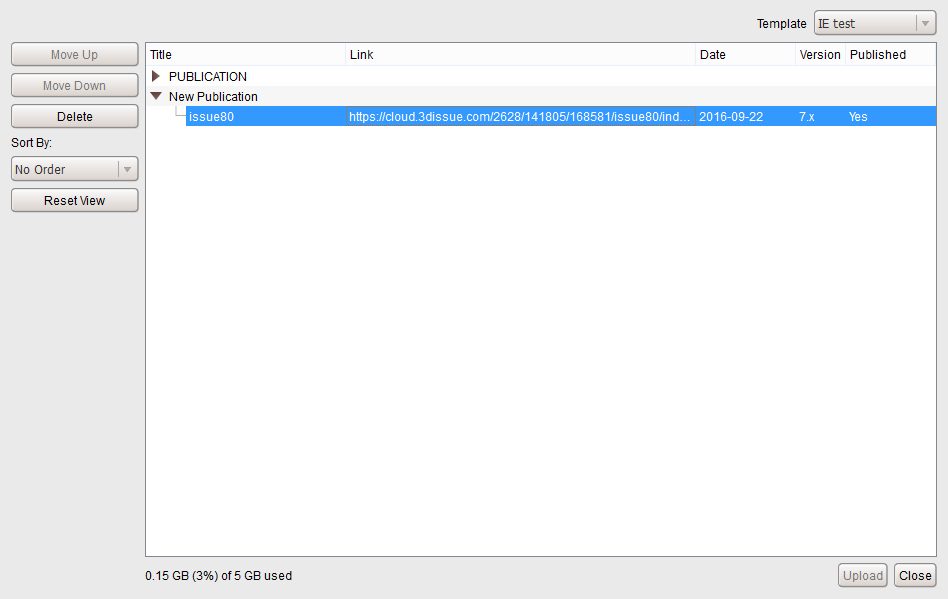
- Select the issue you wish to delete from the list.
- Remove it from that window, and the flipbook stops being accessible online.
If you upload to your own server and would like to remove a Flipbook from being accessible online then you would need to connect to your server using a third party FTP client such as FileZilla. Once connected to the server you then can delete the required Flipbook.
If it doesn’t work
- It is still online after deleting it in Manage Issues. That window only removes issues held in 3D Issue cloud hosting. A flipbook on your own server is deleted there instead, by connecting with an FTP client such as FileZilla.