

You’ll end up with a second project folder holding a copy you can edit without touching the original.
You’ll need
- The project open in the desktop software.
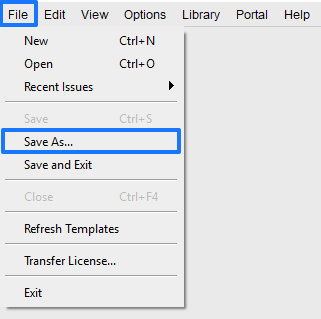
- Click File > Save As… from the top menu of the software.
- Give your copy a new name when prompted.
If it doesn’t work
- You cannot find the copy. Save As writes a new project folder; open it the way you open any project — How do I open my existing Flipbooks?.