

You’ll end up with Flipbooks Desktop launching normally on macOS 27 — Rosetta installed, file access granted to Flipbooks and Hotfolder, and the hotfolder service running before you publish.
You’ll need
- A Mac that has just run the macOS 27 update.
- The Flipbooks Desktop installer, and the Hotfolder service if you publish from it.
Get it running
- Restart first. After running the update to macOS 27, restart your computer again before launching the 3D Issue Flipbooks app.
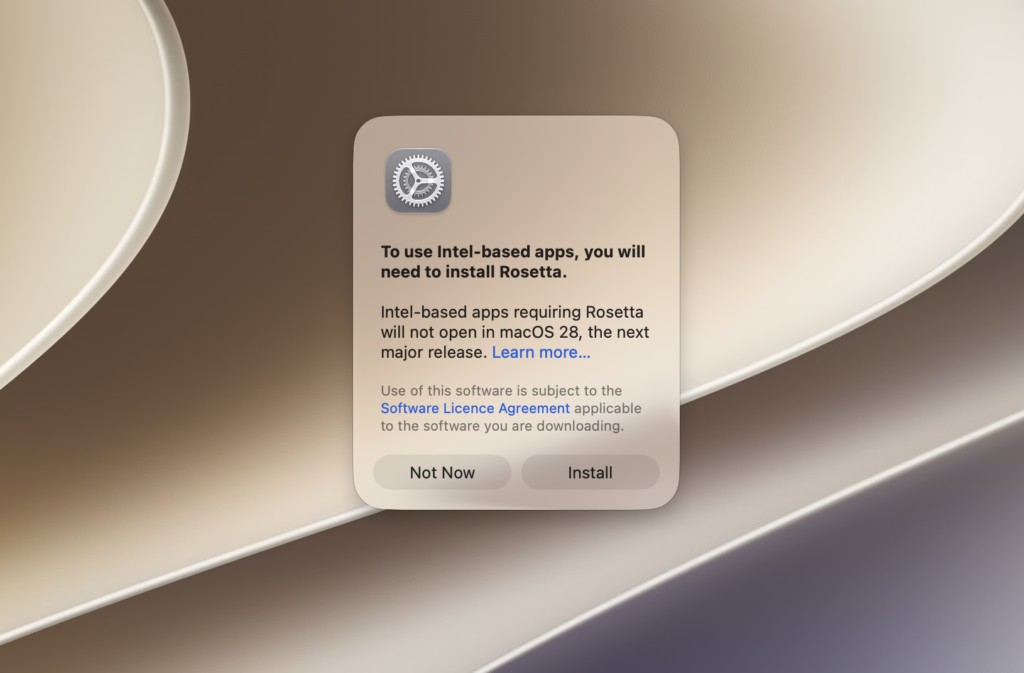
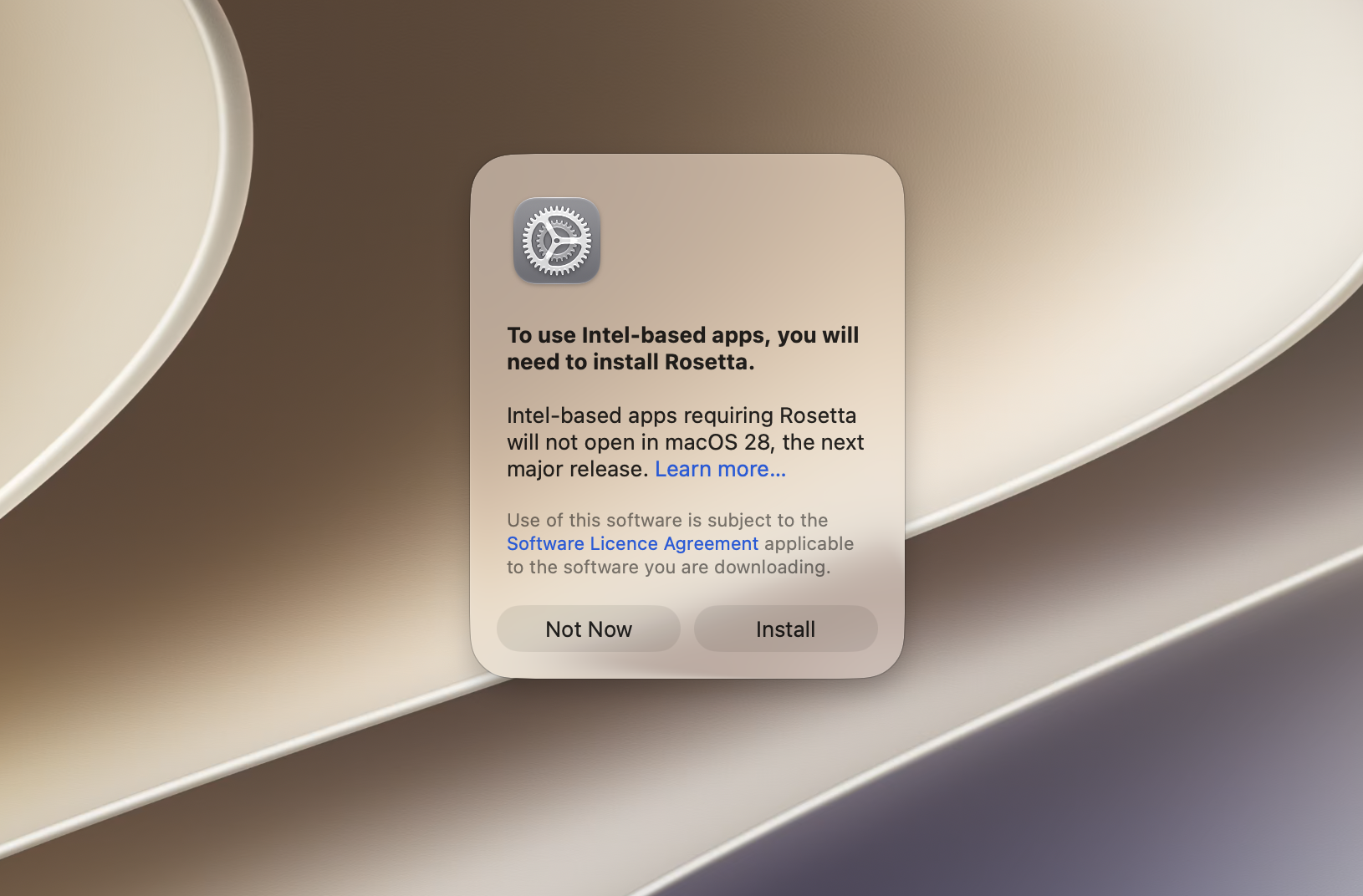
- Install Rosetta if it asks. If you have not run any other apps you may see this warning when you first run Flipbooks: install Rosetta and then re-open the 3D Issue Flipbooks software.
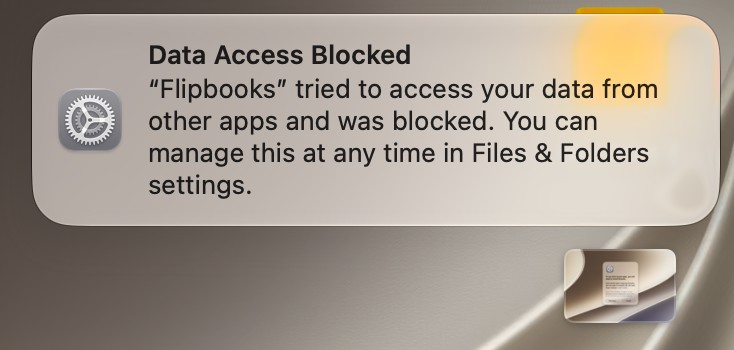
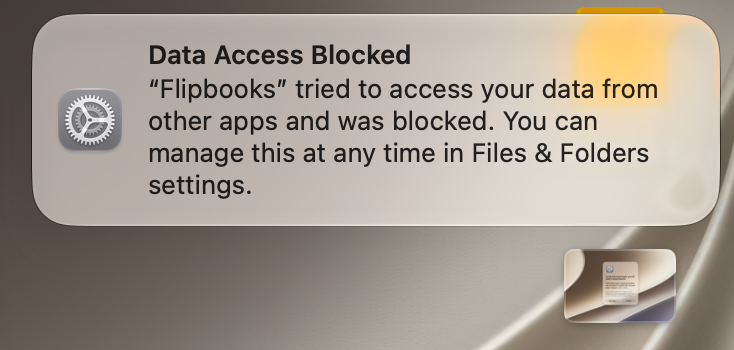
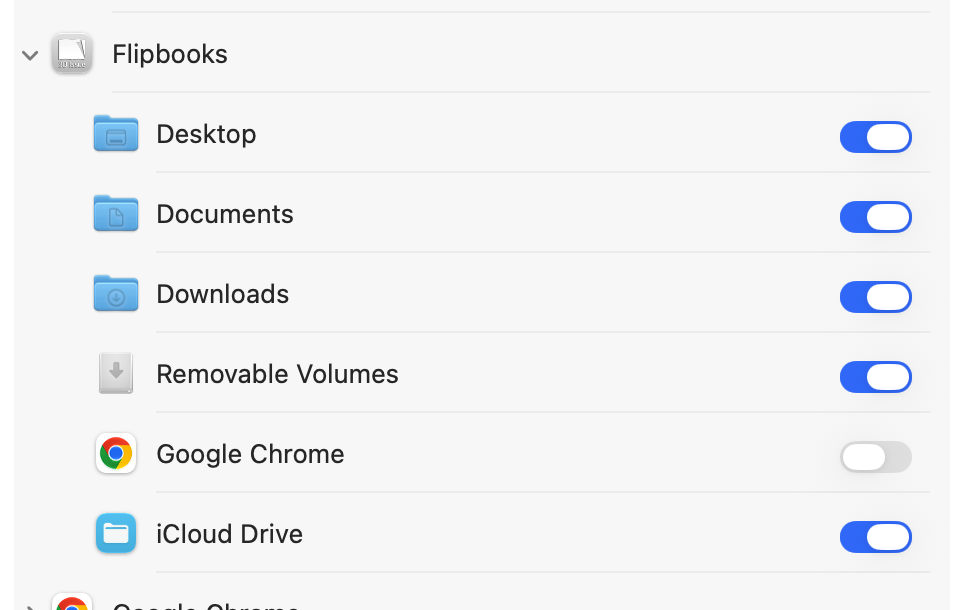
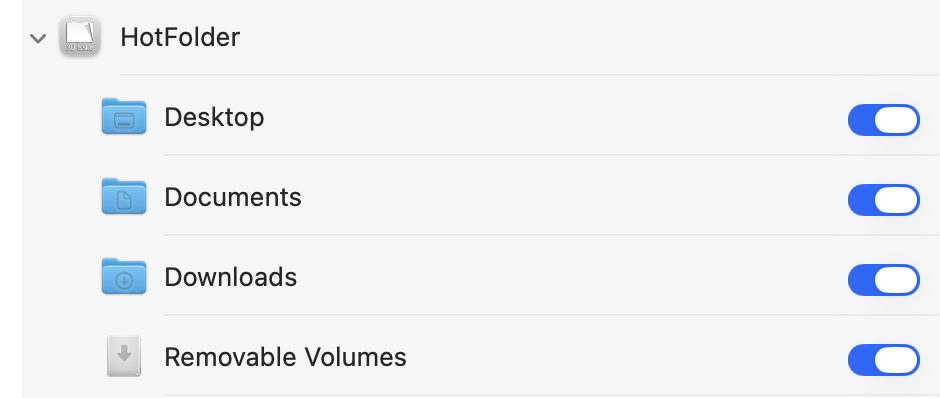
- Grant file access. You may then see this warning: go to Settings -> Privacy and Security -> Files and Folder and check that you have the correct permissions for the Flipbooks and Hotfolder apps:
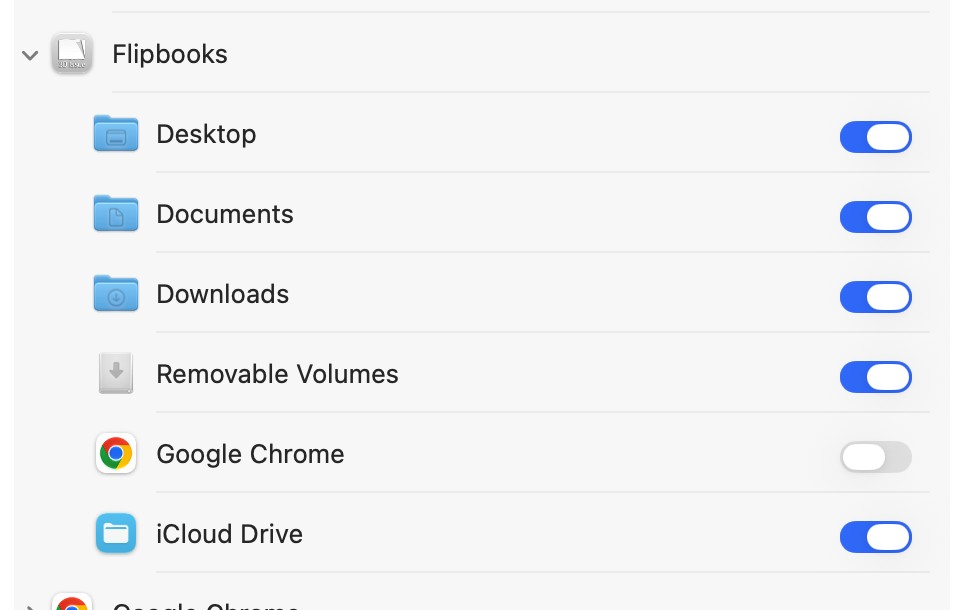
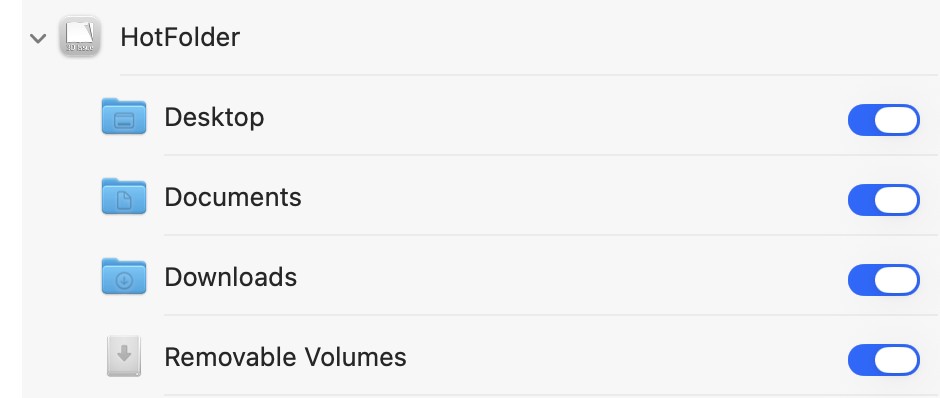
- Run it as normal. Now you can run 3D Issue Flipbooks as normal. Remember to allow time for the hotfolder service to initialize before you first publish.
If it doesn’t work
- The Rosetta prompt keeps appearing. Install Rosetta, then re-open the software rather than dismissing the prompt.
- Flipbooks runs but cannot reach your files. Settings → Privacy and Security → Files and Folder: check that both Flipbooks and Hotfolder hold the correct permissions.
- The first publish fails. Allow time for the hotfolder service to initialize before you publish.