

3D Issue Central, found at https://central.3dissue.com/auth/login?s=admin, is the administrative area that handles project and user management for 3D Issue applications. Company admins sign in to the admin dashboard, which has two main areas: Profile and Users; the user list and its Create, Edit, and Assign flows are covered in Managing Users in Central and the permission levels in What are the Central account types?
Settings
The Settings tab holds information about the account itself, not any one person:
- Id — the account’s numeric id (read-only).
- Name is your company’s name as it appears across the platform.
- User Limit — read-only; the number of users your plan allows. Adding users beyond the limit needs a plan change.
- Code is a short read-only identifier for the company account.
- Contact Email and Support Email — the admin contact and support contact addresses the platform holds for your company.
- Created / Updated are the account’s timestamps.
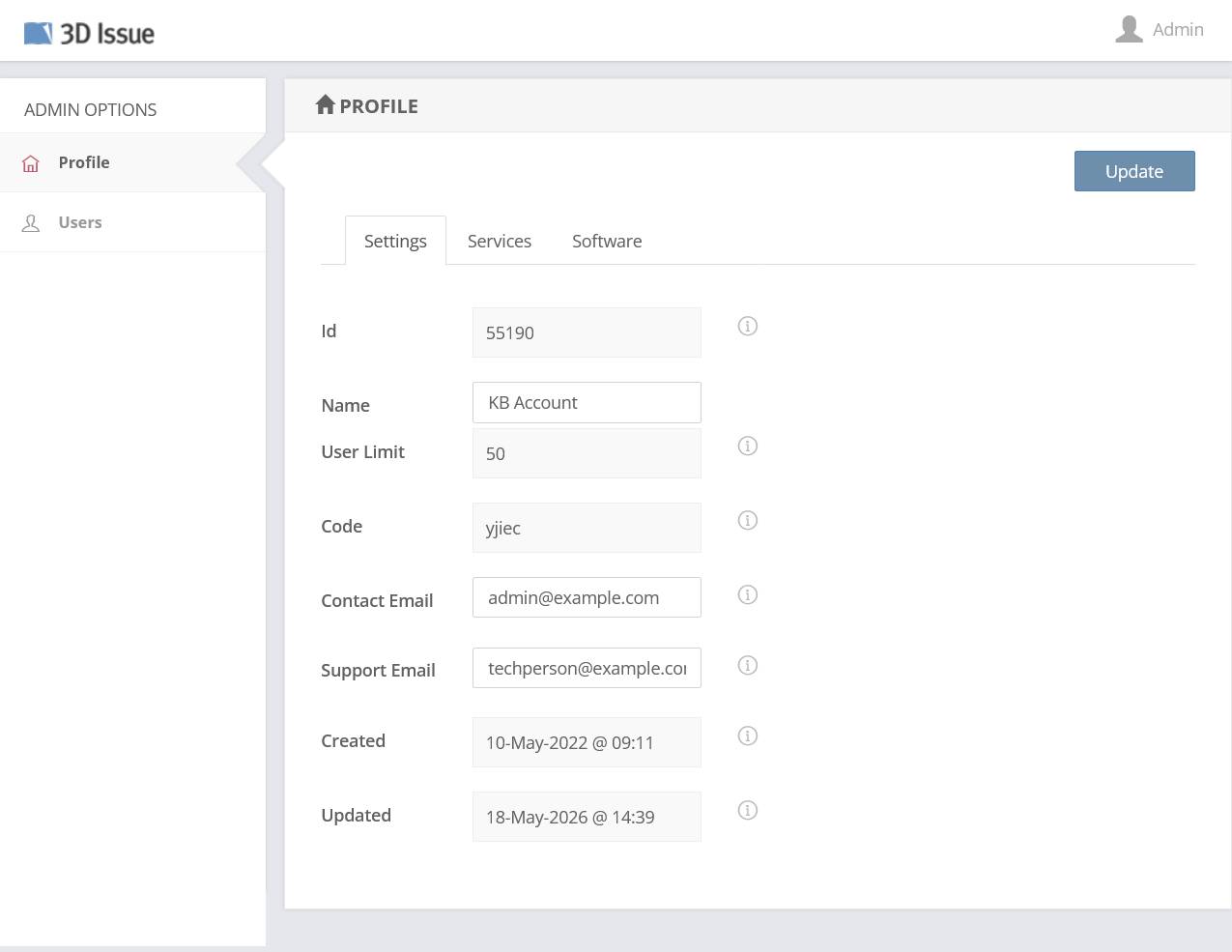
To make changes, edit the fields and click Update (top right of the panel).
Services
The Services tab lists one Subscription card per product your company has access to. Each card shows the subscription’s Access Start and Expiry dates plus timestamps indicating when the account was created and updated. Check here first when a product reports an expired or unlicensed account: these expiry dates are the license windows.
This area is informational only: there are no user-editable fields here.
Software
The Software tab is where desktop-software license information appears.