

The Flow editor is an embedded, simplified instance of the Studio editor. If you know Studio, you know Flow — the same drag-and-drop canvas, elements, and property panels, tuned for responsive single-column pages.
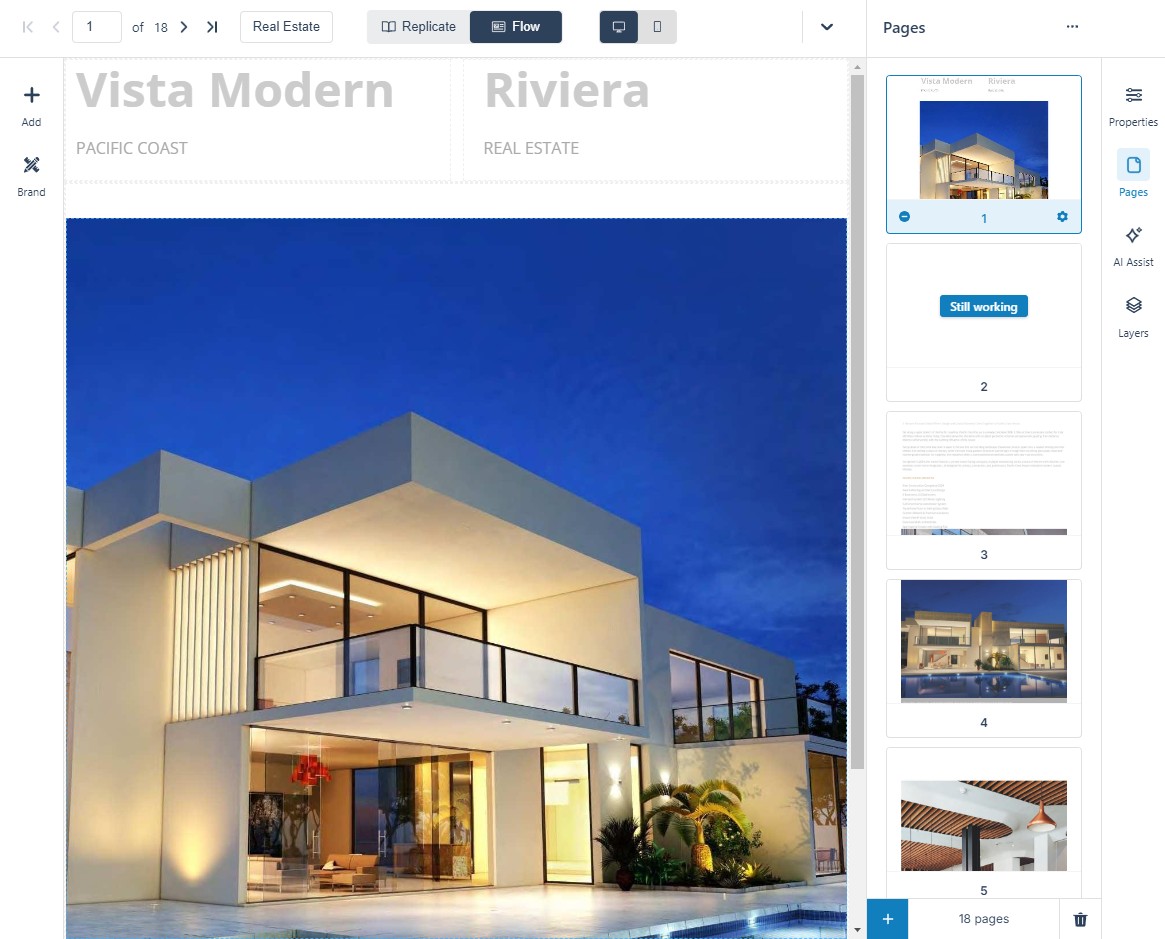
The Three Main Areas
- The Canvas — the visual page you are editing. Above it: Edit crop areas (recapture images from the source PDF), Reimport page, Check accessibility status (the! marker flags findings), and Version history for reverting.
- The Styles Panel — apply a saved Brand to the whole document, or restyle an element type document-wide (every paragraph, every heading) in one place. Brands are created and managed as in Brands in Studio.
- Control Columns — Add (elements, blocks, layouts), Element Properties (appearance, positioning, settings), AI Assist (Kelda — layouts, writing, image generation), Pages (add, duplicate, reorder, page properties), and Structure (the element tree for the current page).
Edits made here change the Flow edition only — the Flipbook keeps its own layout. See Creating a Flow Publication for how the edition is generated, and Improving Your Flow Publication for the refinement pass.