


No. You do not need a separate project to use Flow. Flow is a mode of the project rather than a separate publication: when you create a project with Flow, it holds both editions — the page-turning Flipbook and the responsive Flow edition — and publishing ships them together.
How Flow mode is switched
Once a project has a Flow edition, the Replicate | Flow switch above the canvas is where the two versions live: Replicate shows the page-turning edition, Flow shows the responsive one. That switch is what the old Article View setting became — the rename is mapped in Where did my product go? The 2026 renames explained (e-156).
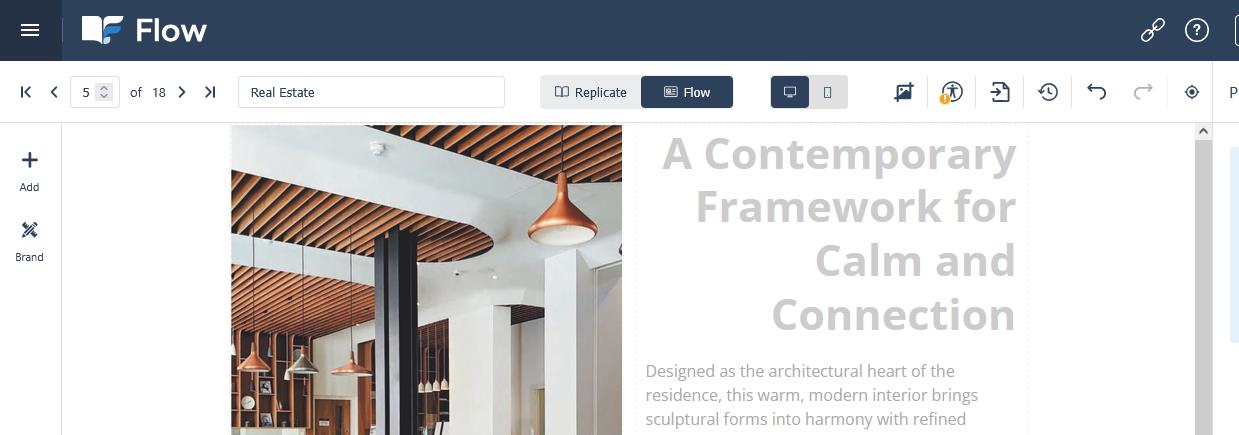
To stop a published publication shipping the Flow edition, open Flipbook Settings → Appearance in the Replicate editor and clear Article Mode Enabled. The toggle, and what it does and does not change, is in Flow Mode on/off; the full creation walkthrough is in Creating a Flow Publication.