

When you create a new team member in Studio, they will not immediately have access to your existing projects. Team members have to be assigned to projects using the 3D Issue Central Administration system. If a teammate can’t see a project, confirm they’ve accepted their invite and have been assigned access to the project in Central.
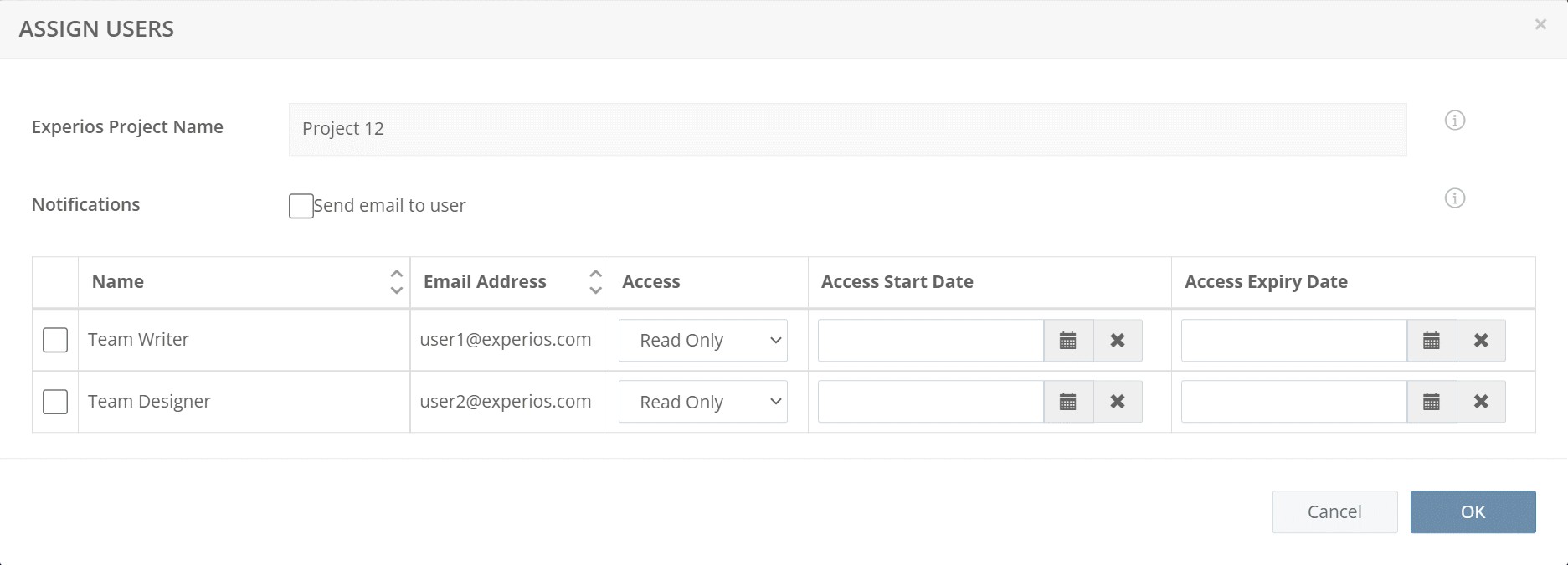
To assign access: in Central, open Studio, then the Projects tab, then the project’s Edit control → Users tab → Assign User. Tick each user to add, grant Read Only or Read & Write access with the per-user dropdown, set the access start and expiry dates, and optionally tick Send email to user to notify them — then click OK.
If they still can’t see the project, have them log out and back in — newly granted access applies from their next login.