


Project Settings → SEO/SEM is where a project tells search engines what it is, and where you plug in analytics to learn how readers use it.
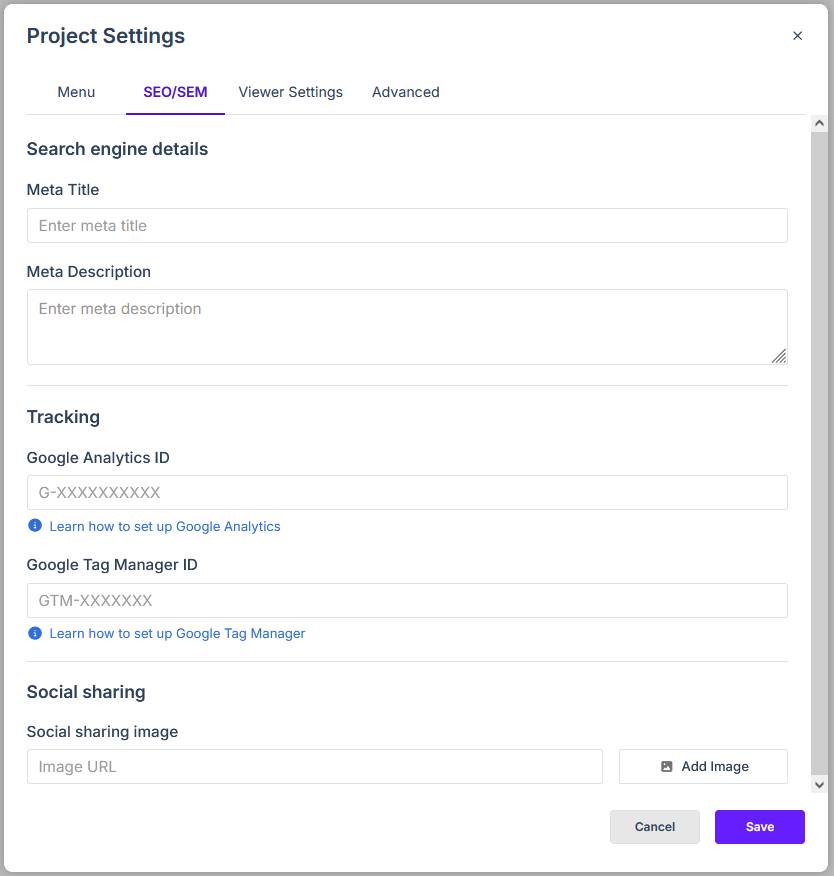
Search Engine Details
- Meta Title — the title search engines display on results pages. Keep it short and put the important words first.
- Meta Description — a sentence or two describing the publication. Search engines show this under the title.
Tracking
Paste your existing IDs into these fields — no other configuration is needed:
- Google Analytics ID — your GA4 measurement ID (format
G-XXXXXXXXXX). - Google Tag Manager ID — your Googel Tag Manager ID (format
GTM-XXXXXXX).
Once set, metrics for the published project appear in your Google Analytics or Tag Manager reports like any other site. The step-by-step set-up is in How do I add Google Analytics 4?.
Social Sharing Image
The Social sharing image field sets the picture that appears when someone posts the project link to social media or messaging apps. Supply an image by clicking Add Image and selecting one from (or uploading one to) the Media Library.
After You Change These
SEO fields and tracking are written into the published version. After editing them, publish again so the live link picks up the new settings — republishing keeps the same URL, so shared links are unaffected (see Publishing and Sharing Your Studio Project).